google-site-verification: google70410e9e92d4fda2.html

Friday, 3 October 2014

Stamp Set Showcase Week 12 (6)

VISIONS OF SANTA
DAY 6

I have had a busy day today cleaning out my guinea pigs,
but I was also prepping several of them ready to go to a show this weekend, and that requires patients and a LOT of grooming, but they look very handsome for it.
We also had to fit some slats to the top of the pygmy goats stalls as they had learnt how to jump over the top of the stall to get to their treats (herb pony nuts) ... the little monkeys!
Anyway
todays penultinate project for this week is this card with an exercising santa and it goes so well with the sentiment stamp from the same stamp set.


As always begin by making your A6 card blank by trimming a piece of Whisper White cardstock to 21cms x 14.8cms.
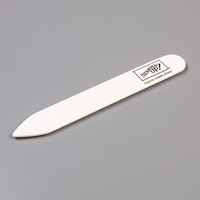
Score the long side at 10.5cms, fold along the score line and then burnish the fold using your bone folder.
Put to one side to avoid contaminating the card blank with your ink pads or inky fingers


Trim a piece of Whisper White cardstock to 13.8cms x 9.6cms
Use the Dotty Angles photopolymer stamp this trimmed cardstock with Silver encore ink to create the background for your card.
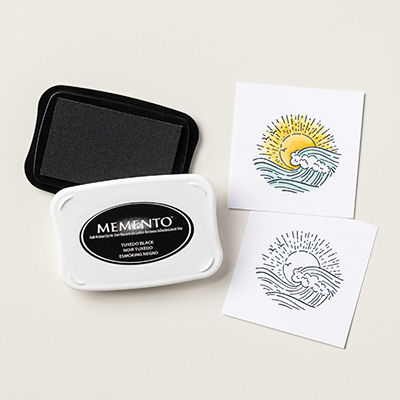
Stamp your exercising Santa in the bottom right corner using Tuxedo Black Memento ink
Give the ink a few seconds to dry.
Stamp a second Santa (the same one as on the card), also in Black Memento ink
Colour in both of the santa's using the same Blendabitlities Pens (cherry cobbler assortment) technique as explained in the past few days blogs
By starting with the lightest shade of red, working darker for shadings.
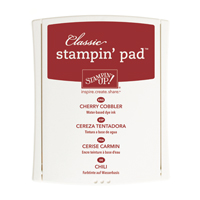
Stamp the 'May Visions of Santa Dance in your head' onto a scrap of Whisper White cardstock in Cherry Cobbler ink. Trim the sentiment so you have a 3mm border around the sentiment.
Die cut a banner from Cherry Cobbler cardstock using the Banner Framelits.
Mount the sentiment onto the banner using Stampin Dimensionals
Tie a piece ofReal Red 1/8" Taffetta Ribbon around the stamped piece of card and tie a ribbon. Mat (layer/mount) this onto a piece of Cherry Cobbler cardstock measuring  10cms x 14.3cms
Using Papersnips, cut out the second Santa you stamped & Painted, and use Stampin Dimensionals to mount him directly on top of the sant on your card front.
Attach the Banner on the left hand side of the card.
Add some Basic Rhinestones to the santa and the front of the santa.
attach the card topper to the card blank ... and you're done


If you have any questions on techniques, orders, products etc., please ask away by adding comments below, or you can contact me via:-

Email:       kim@stampinupatthewarren.com
Telephone/Text:07759587004
OR


Thursday, 2 October 2014

Stamp Set Showcase Week 12 (5)

VISIONS OF SANTA
DAY 5

Today is another of Stampin Up's fold flat Kraft Boxes
This time it is the turn of the Decorative Window Gift Boxes that come in packs of 6
& great value for money
I love them because of the acetate window surrounded by a white decorative scallop pattern


Today's project is one of my Hostess gifts containing some left over Sale a Bration thick bakers twine

And I have taken my inspiration for decorating the box from the box itself.

I used Whisper White Kraft ink with the snowflake stamp in the Visions of Santa stamp set. I randomly stamped all the outside and lid (but not the window sheet) with the snowflakes.
Give this plenty of time to dry before handling it as Kraft ink takes longer to dry and we are not going for the smudged, distressed look here hehe.

Once dry, assemble your box (full instructions come with each pack), fill with goodies and put to one side. 
You can also decorate these boxes and keep them flat packed until you are ready to use them, the choice is yours.


Now lets turn our attention to the dancing santa tag. start with the layered tags,
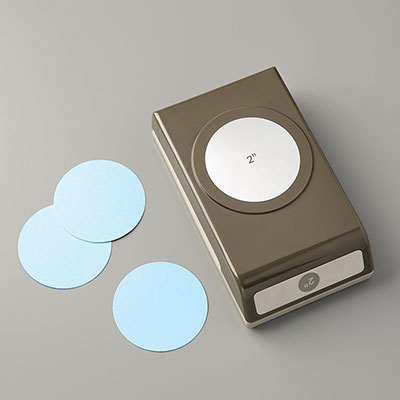
Punch 2 2" (5.1cm) circles in Old Olive cardstock and dry emboss using the Perfect Polkadots Textured Impressions Embossing Folder (TIEF).

Before you colour your Santa, here are a few tips.
The best cardstock for using Blendabilities, is Whisper White
Always use Memento Ink (black) to stamp the image to avoid bleeding outside of the stamped image.
You cannot use Stazon ink as it is alcohol based, as are the blendabilities pens, and will cause bleeding of the ink.
You will find that the blendabilities saturate the cardstock and bleed through to the back of the cardstock, so never use blendabilities straight onto your card blank.
Blendabilities come in packs of three (except the skintone assortment which is larger). Each pack has a light, medium and dark shade/tone of at least one current stampin up colour (i.e. cardstock, ink pads, re-inkers, DSP etc).

I always start with the lightest shade of blendability assortment, working up to the darkest.
Let the ink dry a little (but not completely) between changing pens.
Blend the colours together on the finished image by using the brush tip to give another coat of the colour using the lightest pen in the assortment. I find this gives the best blended effect.

Once you have coloured your Santa, punch him out ith the 2" punch and layer onto the 2 green, dry embossed tags using Stampin Dimensionals to create depth between each layer. Punch a hole and thread with Cherry Cobbler Bakers Twine.
Tie a piece of Whisper White Seam Binding Ribbon around the box and finish with a bow. Tie the bakers twine around the bow and tie a knot. And there you have it!
See you tomorrow 


But if you have any questions on techniques, orders, products etc., please ask away by adding comments below, or you can contact me via:-

Email:       kim@stampinupatthewarren.com
Telephone/Text:07759587004
OR


Wednesday, 1 October 2014

Stamp Set Showcase Week 12 (4)

VISIONS OF SANTA
DAY FOUR

I hope you are enjoying this weeks fun makes
I think todays character is my favourite in the stamp set. This Reindeer definitely has an aloofness about him, despite being in just his underclothes he he 

I had great fun with my Blendabilities here, he was just a joy to colour in


So with no further ado, this is how I made todays card

Begin by making your card blank by trimming a piece of Whisper White cardstock to 14.4cms x 21cms. Score the long side at 10.5cms, fold and burnish the score line.
Now I know I normally tell you to put the card blank to one side, but STOP .... don't do that today
I want you to stamp the teeny snowflake stamp randomly over the card front using silver Encore ink.
Now you can put your card blank to one side.
Next trim a piece of tartan DSP from the Trim the Tree Designer Series Paper Stack to 5cms x 14.3cms
using the trimming from the above piece of DSP, use the reverse side of the decorative paper and trim a small strip to 1.5cms x 10cms
Mount the larger DSP panel to the front left of the card blank, insetting it to 0.5 cms from the fold.
The smaller strip needs to be put across the bottom of the card front, 1cm up from the bottom of the card.
I did this on purpose to mirror the tartan on the larger panel. 
Stamp the 'Tis the Season to be Fancy' sentiment stamp vertically as seen below.
Pop the card to one side so you don't mark it whilst colouring the reindeer.


Stamp the reindeer onto a piece of whisper White cardstock using black Memento ink (prevents bleeding when using the Blendabilities). Give the ink time to dry thoroughly.

Now for the colouring.
I always begin with the lightest colour, and adding darker colours as you go. 
So with your light Cherry Cobbler blendability pen, colour in the reindeers long johns.
With the mid tone pen from the assortment, you want to add shade by making feather marks with the fribre tip.
Finish the long johns with a touch here and there of the dark cherry cobbler pen.
Now, I always finish by blending the inks not with the blender pen, but with the lightest pen in the Blendabilities assortment. i.e. the light Cherry Cobbler pen, and using the brush tip, paint over the long john's. I find layering up this way, bifes the best blended effect.
Using the same technique, now colour in the antlers, hooves & his face (using the Skin Tone assortment)
Give him a green eye by using the Old Olive assortment, and outline the image with the light Coastal Cabana assortment pen to create a halo effect around the image, and also paint a little ice on the ground, also using the Coastal Cabana pens.

Die cut the image using the Window Framelits Die Collection
Then die Cut the next size up framelit to die cut a frame in Real Red cardstock.
Dry emboss the red label using the Argyle Textured Impressions Embossing Folder (TIEF)
Layer up the topper using Stampin Dimensionals and attach to the card front.
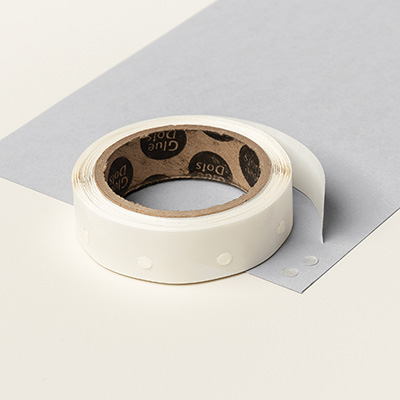
Finish the card by adding one of the All is Calm Snowflake Embellishments using a couple of Glue dots,
And tada


If you have any questions on techniques, orders, products etc., please ask away by adding comments below, or you can contact me via:-

Email:       kim@stampinupatthewarren.com
Telephone/Text:07759587004
OR